Open-source handwriting synthesis · MIT · updated 9 November 2026
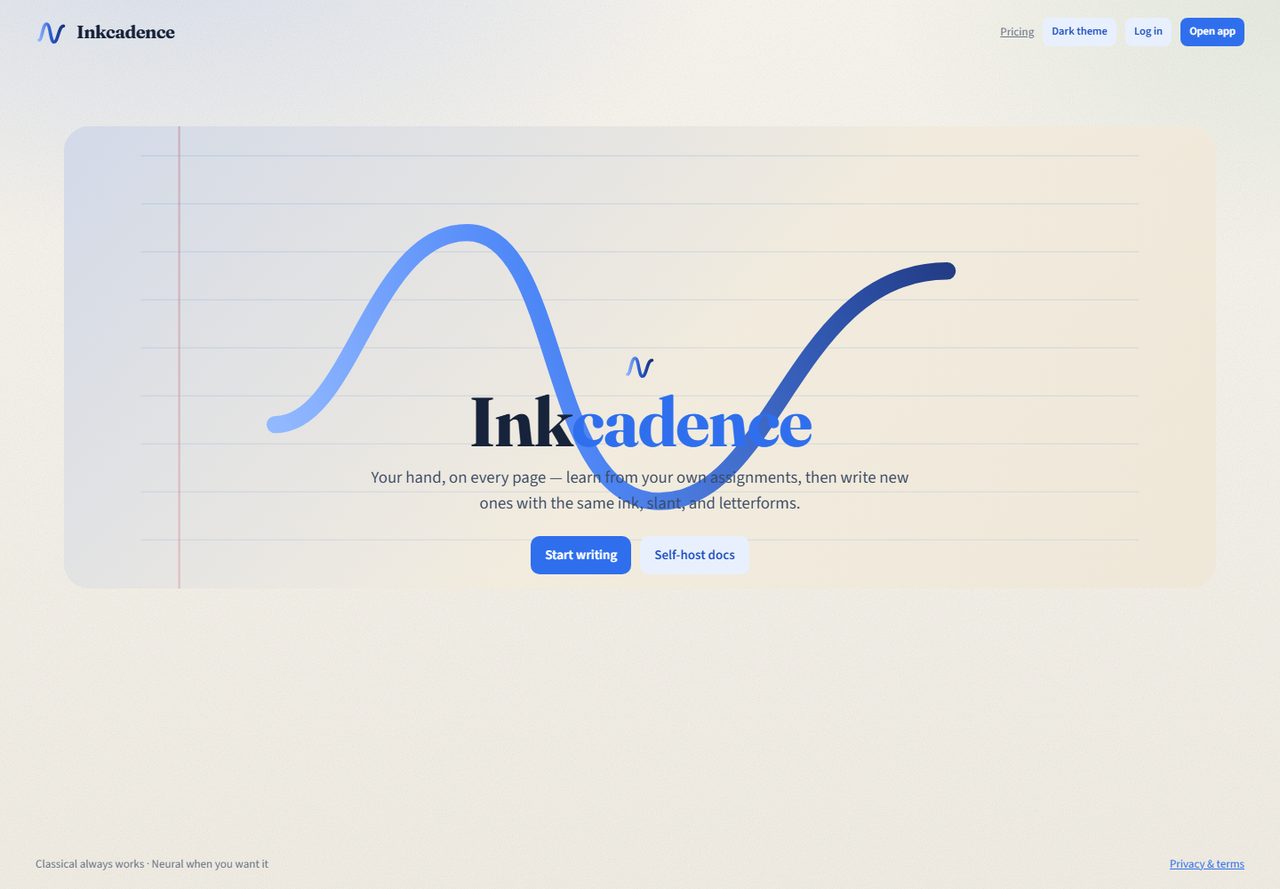
Your hand, on every page.
Upload old written assignments — headings and all — and Inkcadence learns the ink, slant, and patterns. Match one of ten built-in hands, then write new work on lined or blank A4. Everything runs in the browser; photos stay on your device.
What’s new
The classic writer at /classic/ is the fastest path on GitHub Pages. The Vite app at /app/ still includes the sheet wizard and neural hooks when you self-host.
Full assignments
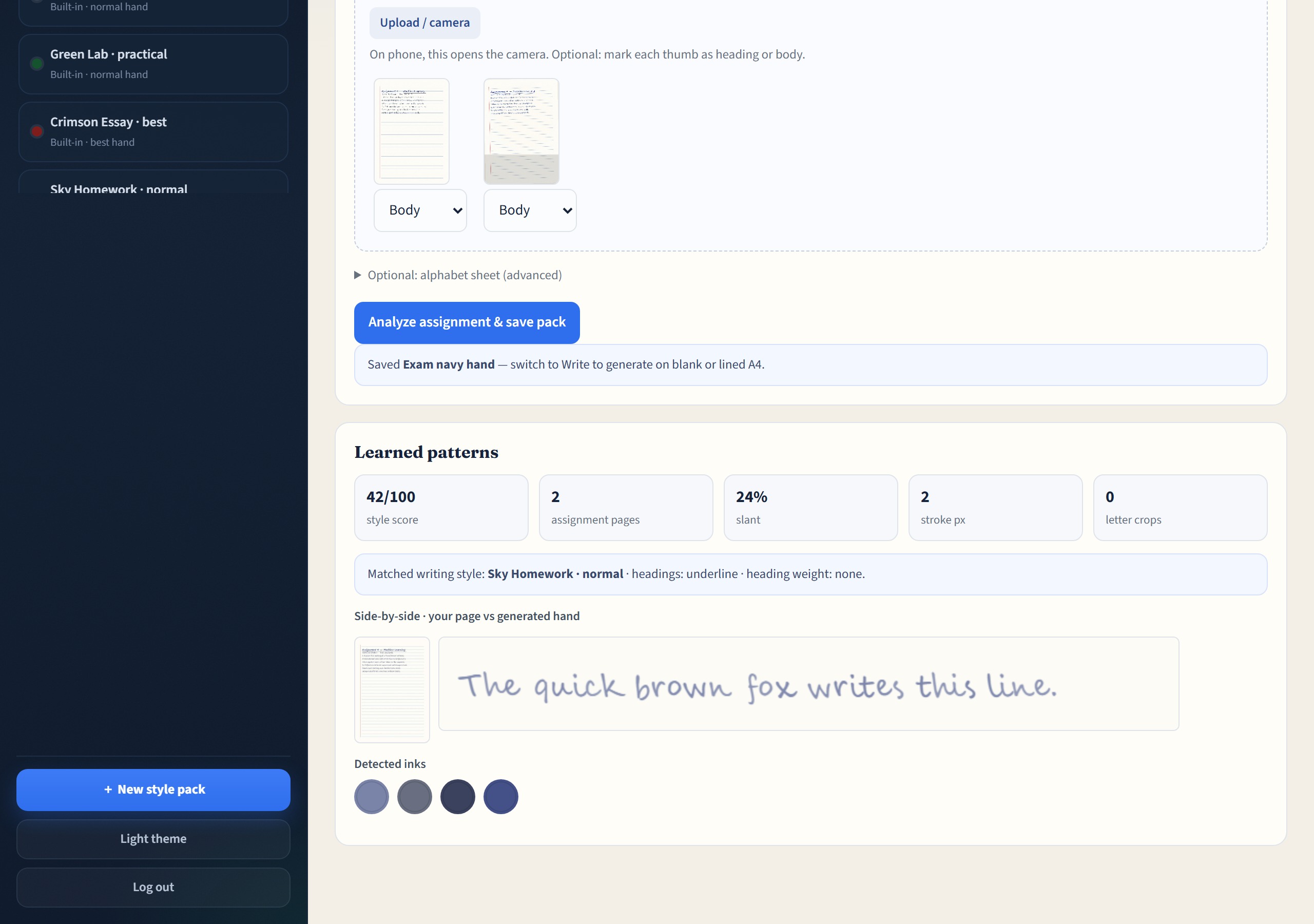
Upload exam, essay, lab, or notes pages. Tag thumbs as heading or body. Harvest letter crops automatically.
10 built-ins
Neat exam, everyday notes, formal black, lab green, fountain navy, and more — best and normal quality.
Lined · blank · grid
Exam lined, blank essay, and lab grid presets, with same-hand continuity across pages.
PNG · PDF · share
Download pages, print A4, or export a style pack that strips assignment photos.
Score + compare
Style score, matched base hand, and a side-by-side strip of your page vs the generated line.
Sheet + neural
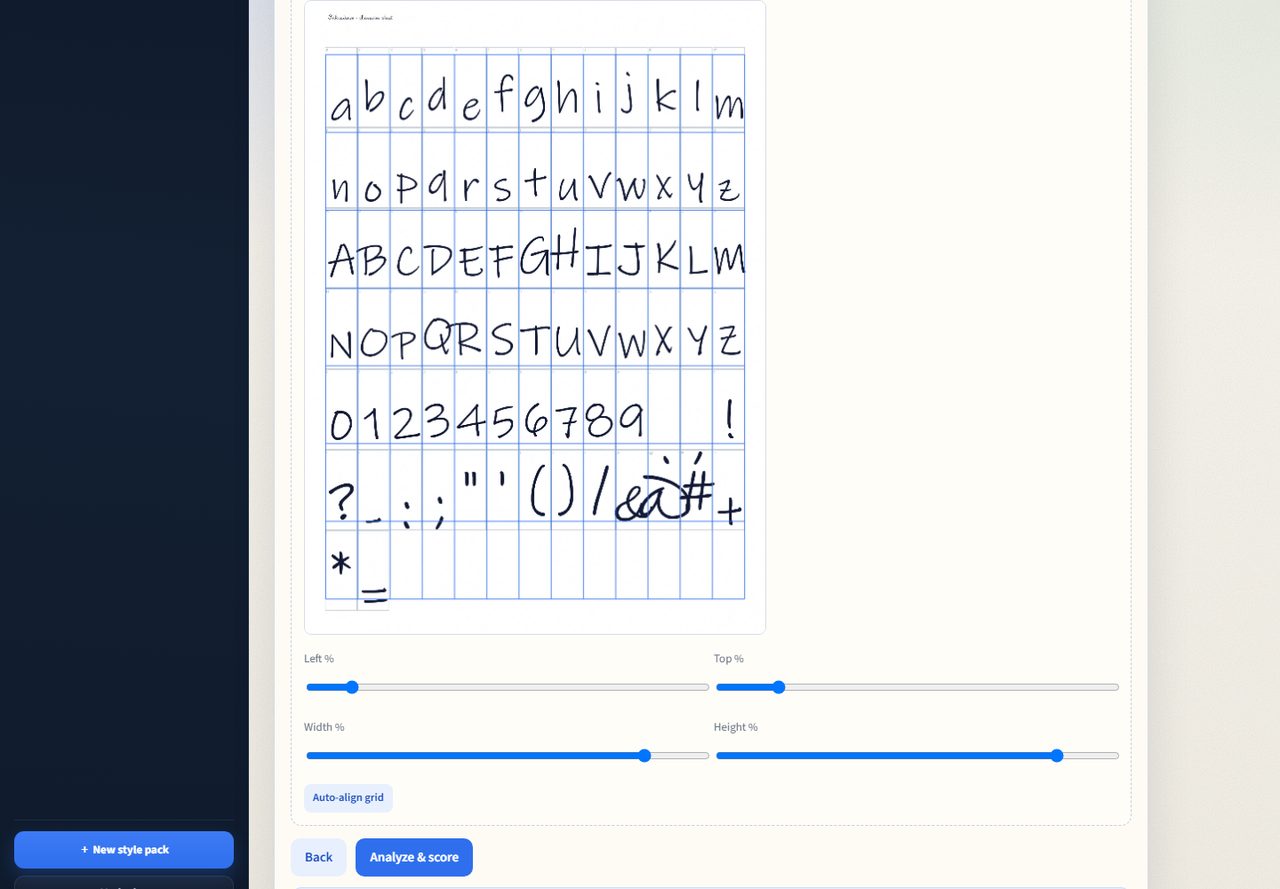
Optional alphabet sheet for exact glyphs. Optional CharStrokeVAE when an API+ML host is online.
How Inkcadence works
Assignment pages teach the look. Built-in styles (or an optional sheet) supply letterforms. The writer lays your text out on A4 paper.
Assignment pages
Upload one to eight full written pages. Inkcadence measures slant, stroke, spacing, pen colour, and heading patterns.
Match a hand
Auto-match one of ten built-in writing styles, or lock exam-neat / notes-normal yourself.
Harvest + score
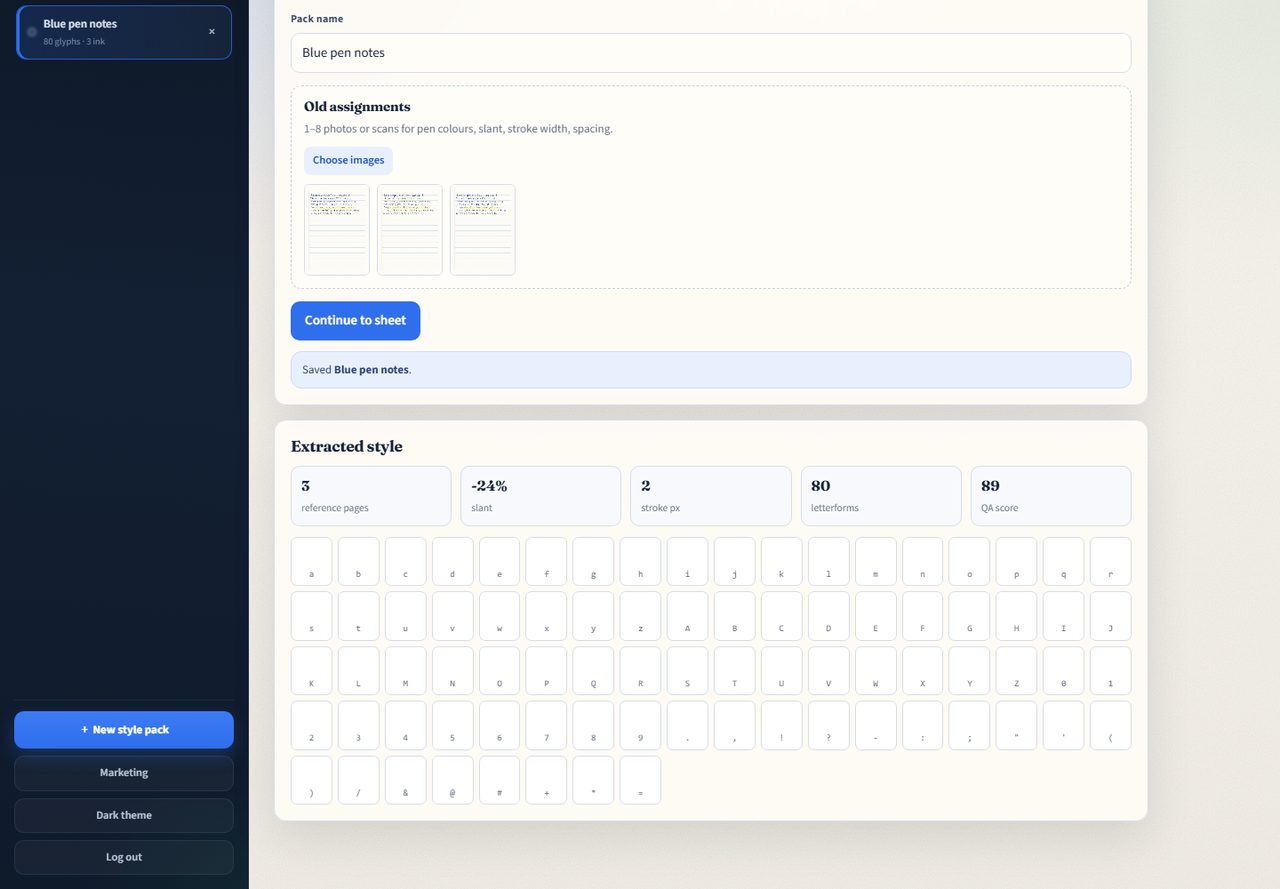
Letter crops are pulled from your pages. A style score and preview show what was learned.
Style pack
Save the pack with your inks and matched hand. Built-ins stay in the sidebar for instant writing.
Write
Paste assignment text (# for headings). Pick lined, blank, or grid A4 and a layout preset.
Export
Download PNGs, download PDF, or print. Leave the AI watermark on when disclosure matters.
Full walkthrough
This recording is the classic writer: local account, upload assignment pages, analyze and save a pack, then render a lined A4 page. The climax zooms the handwritten result so the hand stays readable.
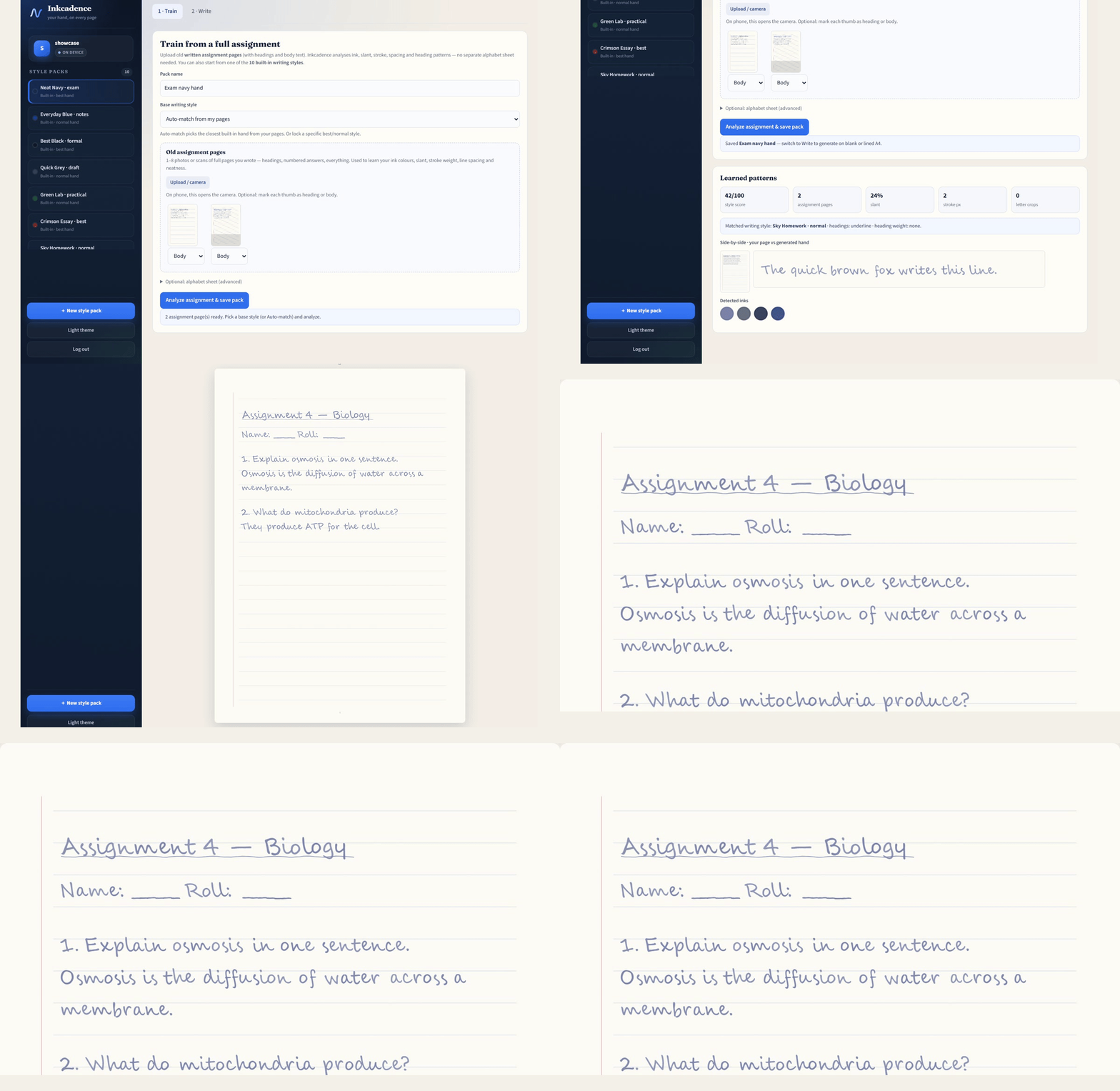
From assignment pages to a written A4
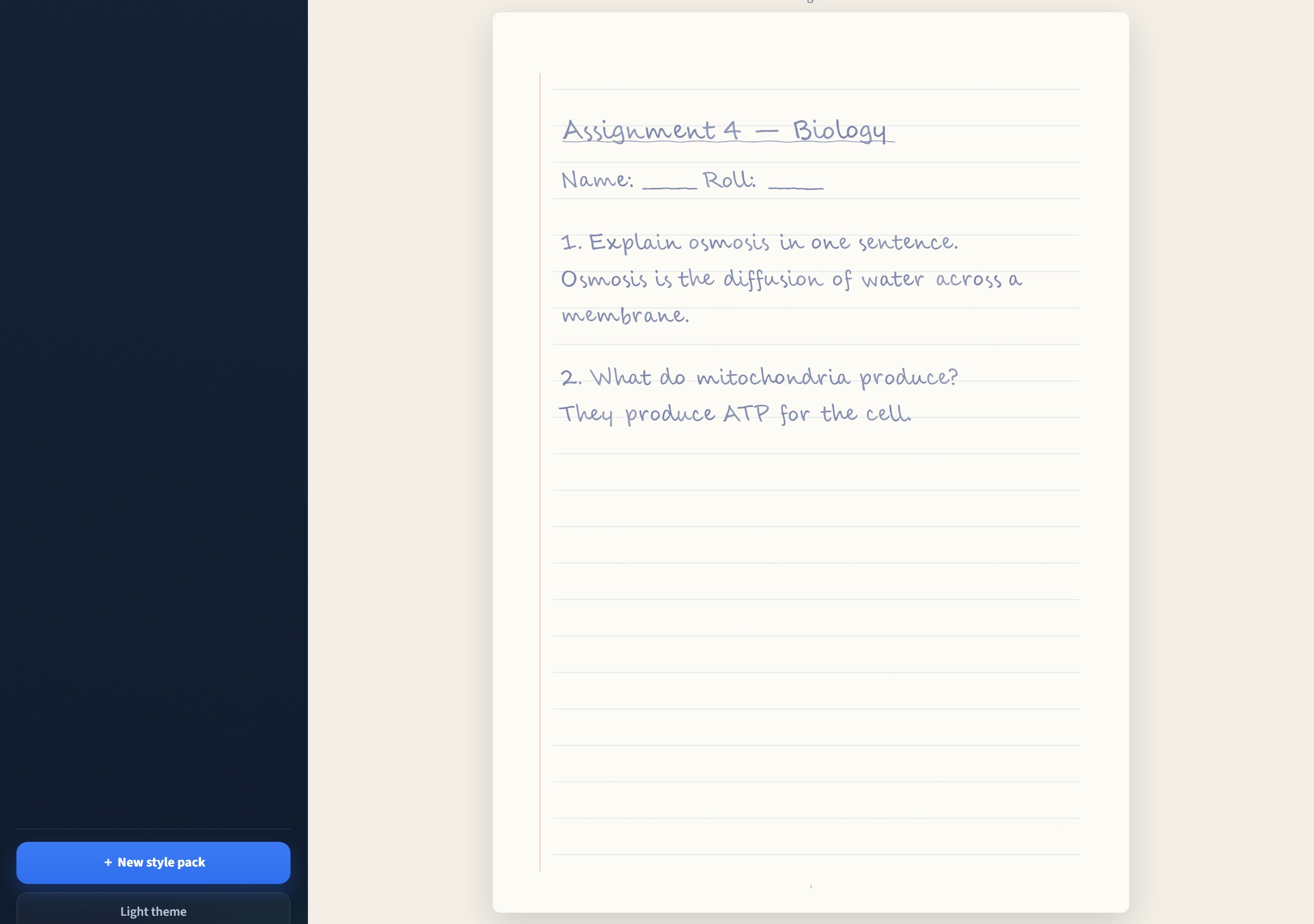
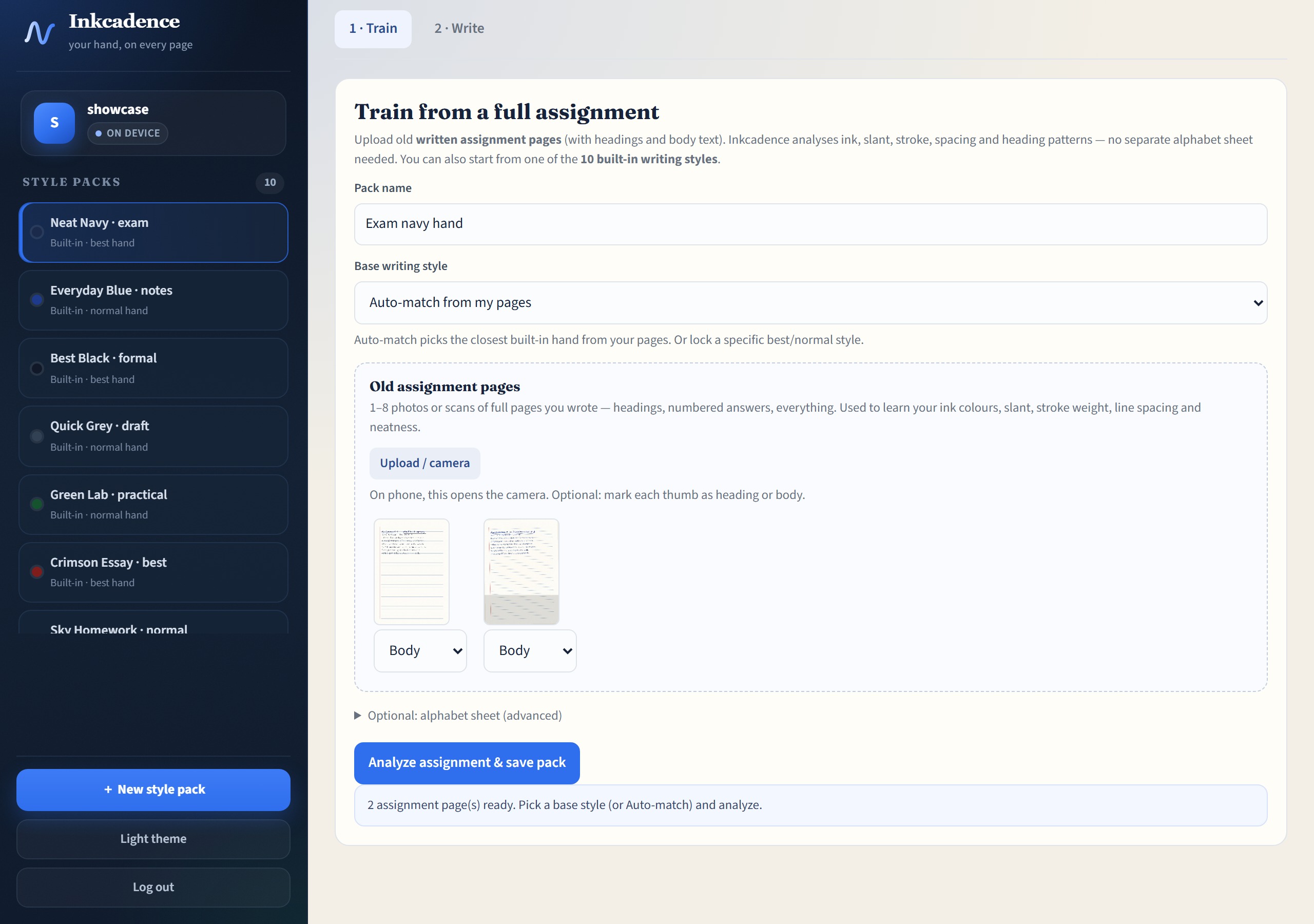
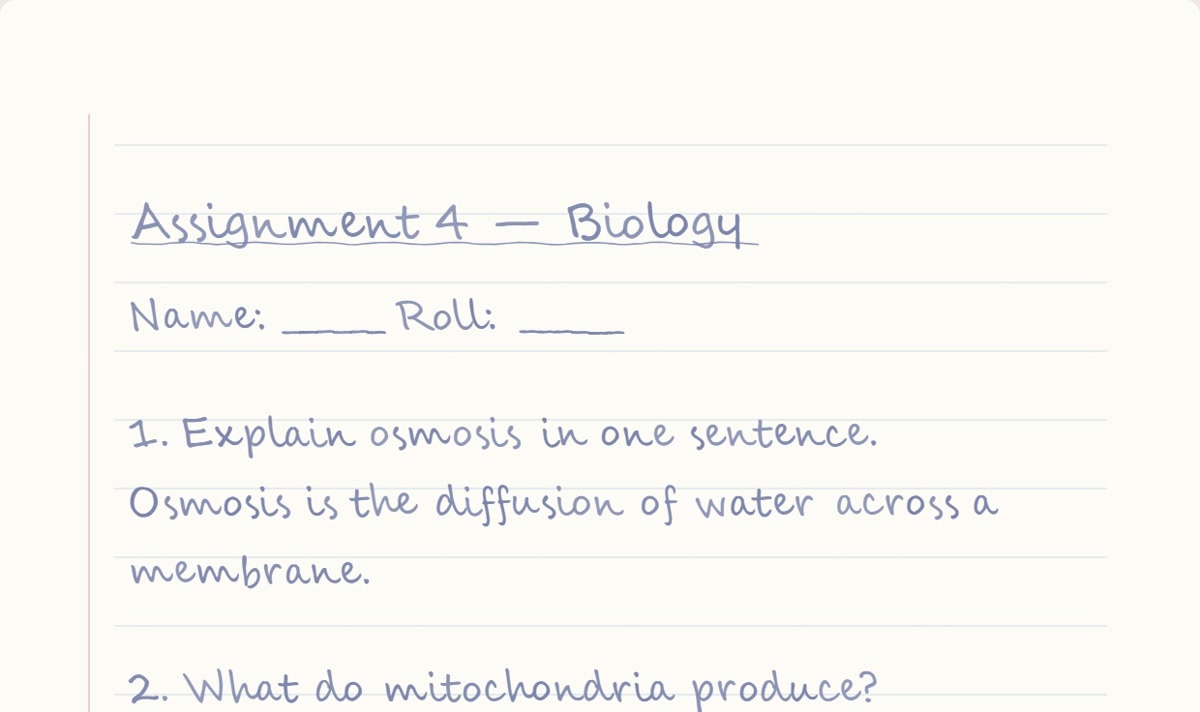
Classic writer demo: train on assignment photos, match a built-in hand, render Biology Q&A on lined paper. The page crop is the Write output, not a mockup.
Workflows
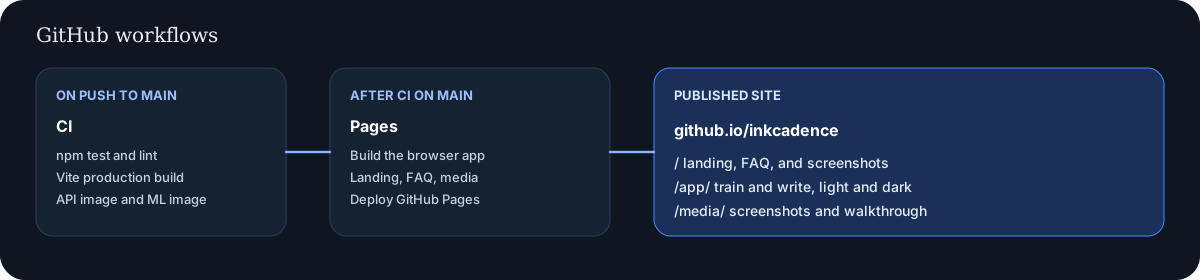
The product path is assignment → match style → harvest/score → pack → write → export. CI still tests and publishes this site.

Classic writer, Vite app, neural, self-host
| Mode | What it does | What it needs |
|---|---|---|
| Classic writer | Assignment-first train, 10 built-ins, harvest, lined/blank A4, PDF and pack share. | A browser. Live at /classic/. |
| Vite app | Sheet wizard, marketing routes, neural train/infer UI when an API is connected. | Browser demo at /app/; API for neural. |
| Neural | CharStrokeVAE glyph atlas for a pack. Falls back to classical if the service is down. | Optional ml/ service behind your API. |
| Self-host | Accounts, pack sync, and optional ML on your Postgres stack. | Docker Compose, or Node for development. |
Questions and answers
These are the full answers. They match the behaviour of the app in this repository as of 9 November 2026.
What is Inkcadence?
Inkcadence is an open-source app that learns a handwriting style from a person’s own pages and writes new pages in that style. Classical glyph synthesis is the default and runs in the browser. A small optional neural model can personalize a style pack and falls back to classical writing when it is unavailable.
Who is Inkcadence for?
Inkcadence is for people who want notes, letters, or practice pages in their own hand, and for operators who want to self-host that workflow. It is not a tool for forging signatures, identity documents, certificates, or graded exams.
How does Inkcadence learn handwriting?
Full assignment pages teach the look: pen colours, slant, stroke width, line spacing, neatness, and heading weight. Inkcadence auto-matches one of ten built-in hands and harvests letter-like crops from your pages. An optional alphabet sheet can add exact glyphs if you want them.
What is a style pack?
A style pack is the saved profile for one handwriting style. It holds detected inks, stats, the matched built-in hand, harvested crops or sheet glyphs, and write defaults such as heading style and jitter. Built-in packs ship with the app; trained packs are yours.
What should I upload as sample pages?
Upload one to eight photos or scans of full written assignments — headings, numbered answers, body text. Flat lighting helps. Phone photos work; the harvest path is tuned for slightly dim or skewed pages.
Do I need an alphabet sheet?
No. The classic writer is assignment-first. The alphabet sheet is optional under an advanced disclosure if you want captured letterforms for every character.
What are the ten built-in writing styles?
They are ready hands that mix best (exam-neat) and normal (everyday) quality, with different heading treatments and ink colours. Auto-match picks the closest one from your page stats, or you can lock a style before you analyze.
What is the glyph sheet?
An optional printable grid. Write one character per cell, photograph it flat, and upload it. Inkcadence auto-aligns the grid. Most users can skip this and rely on built-ins plus harvested crops.
How many characters does the sheet capture?
The sheet covers lowercase and uppercase letters, digits, and the punctuation set used by the classical writer. A full sample run in this repository captured 80 of 80 letterforms.
What does the quality score mean?
The score is 0 to 100. It mixes glyph coverage, stroke confidence, whether pen colours were found, and how many sample pages you added. The sample walkthrough on this site scored 89 with 100 percent coverage. A low score means the classical writer has fewer real letterforms to stamp.
Can I preview a sentence before saving?
Yes. On the quality step, type a phrase and press Preview. Inkcadence renders that phrase with the draft pack so you can judge the hand before you save it.
How do I write a new page?
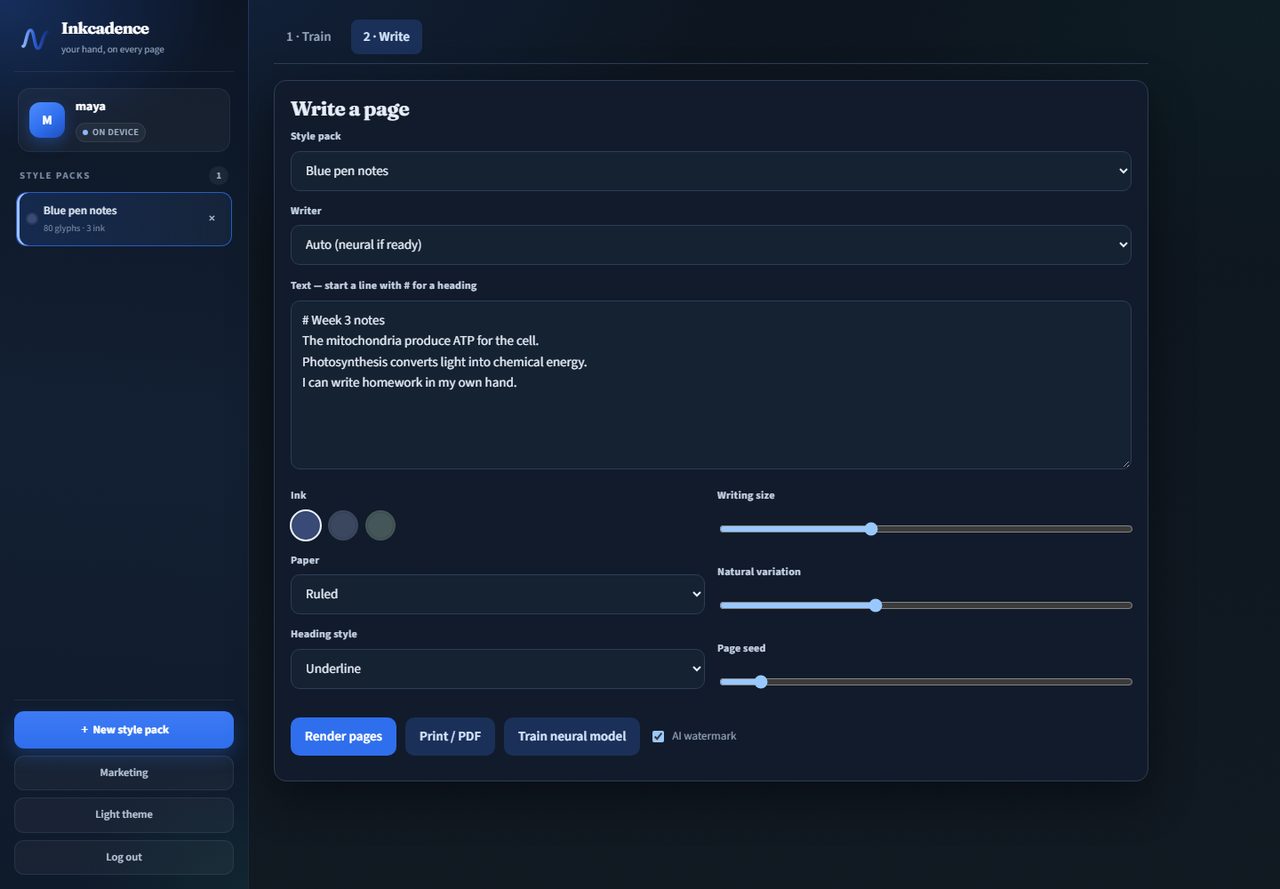
Open Write, pick a style pack or built-in, paste text (or press Format assignment), choose a layout preset and lined/blank/grid paper, then Render. Download PNGs, Download PDF, or Print.
What do writing size, variation, and seed change?
Writing size scales the letterforms. Natural variation adds jitter so repeated letters are not identical. Page seed picks a repeatable random stream, so the same seed recreates the same jitter.
How do I print or save a PDF?
Render the pages, then press Download PDF for a multi-page A4 file, or Print for the browser dialog. You can also download PNG files and export or import a style pack without raw photos.
Are my photos uploaded?
Not on the default path. Sample photos and the glyph sheet are analysed in the browser. If you connect your own API, only the extracted style-pack JSON is synced. Source photos are not stored server-side.
Where do accounts and style packs live?
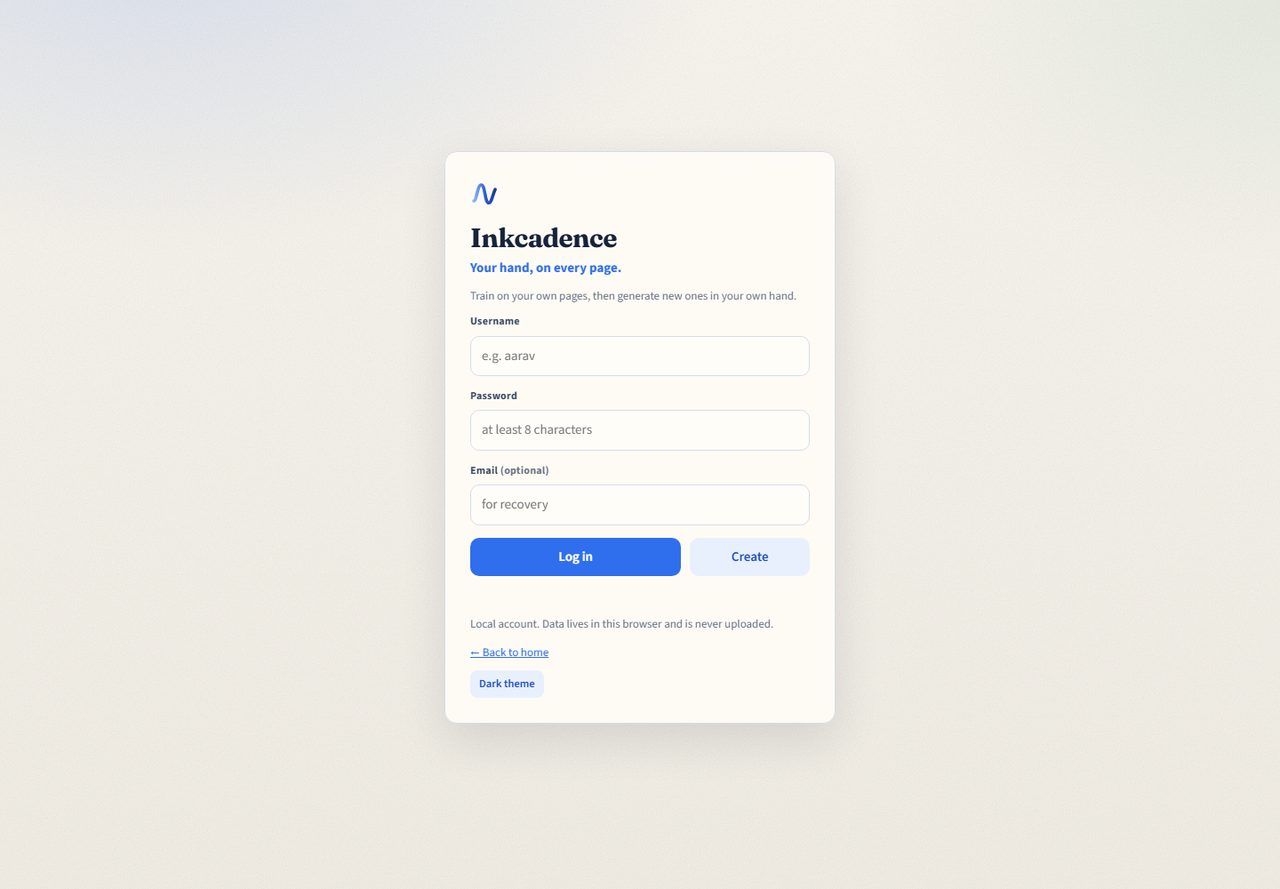
On the GitHub Pages demo and whenever no API is configured, accounts and packs stay in this browser, in IndexedDB with a localStorage fallback. A self-hosted or SaaS API can sync the pack JSON for that account.
What is the difference between classical and neural writing?
Classical writing stamps the letterforms captured from your sheet and applies your measured slant, stroke, spacing, and ink. Neural writing, when a per-pack model is ready, personalizes further through the optional ML service. It does not train a giant foundation model.
What happens if the neural service is down?
Auto mode uses neural output only when the service returns it. If the model is missing or the service is down, Inkcadence renders with the classical writer instead. Classical writing does not need the ML service at all.
Can I self-host Inkcadence?
Yes. Docker Compose starts Postgres, Redis, and the API. An optional Compose profile starts the neural service. The same repository also runs with an in-memory API for development, or as a static page with no server.
Is there a hosted plan?
The software supports a SaaS mode with Stripe billing, email verification, quotas, and a watermark policy. The public GitHub Pages site is the free classical app, not a paid hosted account.
How much does Inkcadence cost?
The project is MIT licensed and the browser app is free. Self-hosting costs whatever you pay to run your own machine or database. Hosted Pro and Team plans are optional and configured by whoever operates the SaaS deployment.
Does the GitHub Pages demo need a server?
No. Use /classic/ for the assignment-first writer, or /app/ for the Vite app. Both run classical writing in the browser. Neural training needs a separate API and ML service.
Can I use Inkcadence offline?
After the page has loaded, classical training and writing do not need a network. The first visit downloads the app. A self-hosted API is only required when you want synced accounts or neural jobs.
What is the AI watermark?
The watermark is a small disclosure on the rendered page that the handwriting was assisted. Leave it on when a reader might think the page was written by hand without software. SaaS deployments can force it.
Can I use pages for signatures, exams, or official documents?
No. Do not use Inkcadence to forge signatures, identity documents, certificates, or work that is supposed to be written under exam conditions. The project documents this limit in the app’s privacy and terms.
Which browsers work?
Current Chrome, Edge, Firefox, and Safari work. The app needs canvas, IndexedDB or localStorage, and modern JavaScript. A keyboard and a way to upload images are required to train a pack.
Which image formats can I train on?
Use any image type your browser can decode, typically JPEG, PNG, or WebP. Photograph the page flat, with even light, so the grid and the ink are readable.
Can I keep more than one handwriting style?
Yes. Each style is a separate pack in the sidebar. Select the pack you want before you render. You can delete a pack from its row.
How do I delete a style pack?
In the app sidebar, use the delete control on that pack’s row and confirm. Deleting removes the pack from this browser, or from your server when the account is synced.
Does Inkcadence detect pen colour?
Yes. Sample pages are clustered into pen and faint colours. The Write tab shows those inks as swatches, and you pick the one to render with. Highlighter-like bright strokes are treated as less reliable ink.
What paper styles can I render?
Lined A4 (assignment lines), blank A4, and grid A4. Layout presets set paper, margins, headings, and page numbers. Heading treatment can be underline, double underline, or none.
Can I share a style pack?
Yes. Export a pack file from Write. Photos are stripped so you share the hand profile, not the raw assignment scans. Import works offline in the same browser app.
Is Inkcadence open source?
Yes. The license is MIT. The repository is mafzalkalwardev/inkcadence and includes the browser app, the API, and the optional ML service.
What does continuous integration check?
On every push to main, GitHub Actions installs dependencies, checks syntax, runs the API and engine tests, builds the Vite app, and builds the API and ML Docker images. The Pages workflow tests again, then publishes this site and the app.
How is the live site published?
The Pages workflow assembles this landing page, the screenshots, the Vite app at /app/, and the classic writer at /classic/, then deploys them with GitHub Pages.
Does the neural service train a large foundation model?
No. The ML service personalizes a lightweight style embedding for one pack. Without PyTorch it can still mark a small embedding checkpoint ready. If that service is absent, classical writing continues.
Are source photos stored on the server?
No. The documented server path stores style-pack JSON, not the photographs. Consented neural fine-tunes in a SaaS deploy may use object storage, and that path is separate from the default browser flow.
How are passwords stored?
API passwords are hashed with scrypt, and session tokens are hashed at rest. The local demo keeps the account in this browser. Use a unique password even for a local account.
Will the result look like a normal font?
No. A font repeats the same outline. Inkcadence stamps your captured glyphs and varies position and size with jitter, so repeats are uneven. Characters you left blank on the sheet fall back to a simple drawn form, which is why the quality score matters.
What are the limits of classical synthesis?
Classical writing can only reproduce characters it captured, plus a plain fallback for gaps. It does not invent a new cursive connection the way a large generative model might. Joined-up handwriting, messy photos, and empty cells all lower fidelity. The score and the preview are there so you can see that before you rely on a pack.
Does the app have a light and a dark theme?
Yes. Use Dark theme or Light theme in the app, or the control on this page. The choice is saved in this browser and shared with the app on the same site. The rendered paper stays paper-coloured in both themes.